
Every dollar, one sheet.
Snap receipts. Speak expenses. Photograph bank statements. SpendSheet captures your spending and pushes it to your Google Sheet — with on-device AI and privacy you can verify.
How It Works
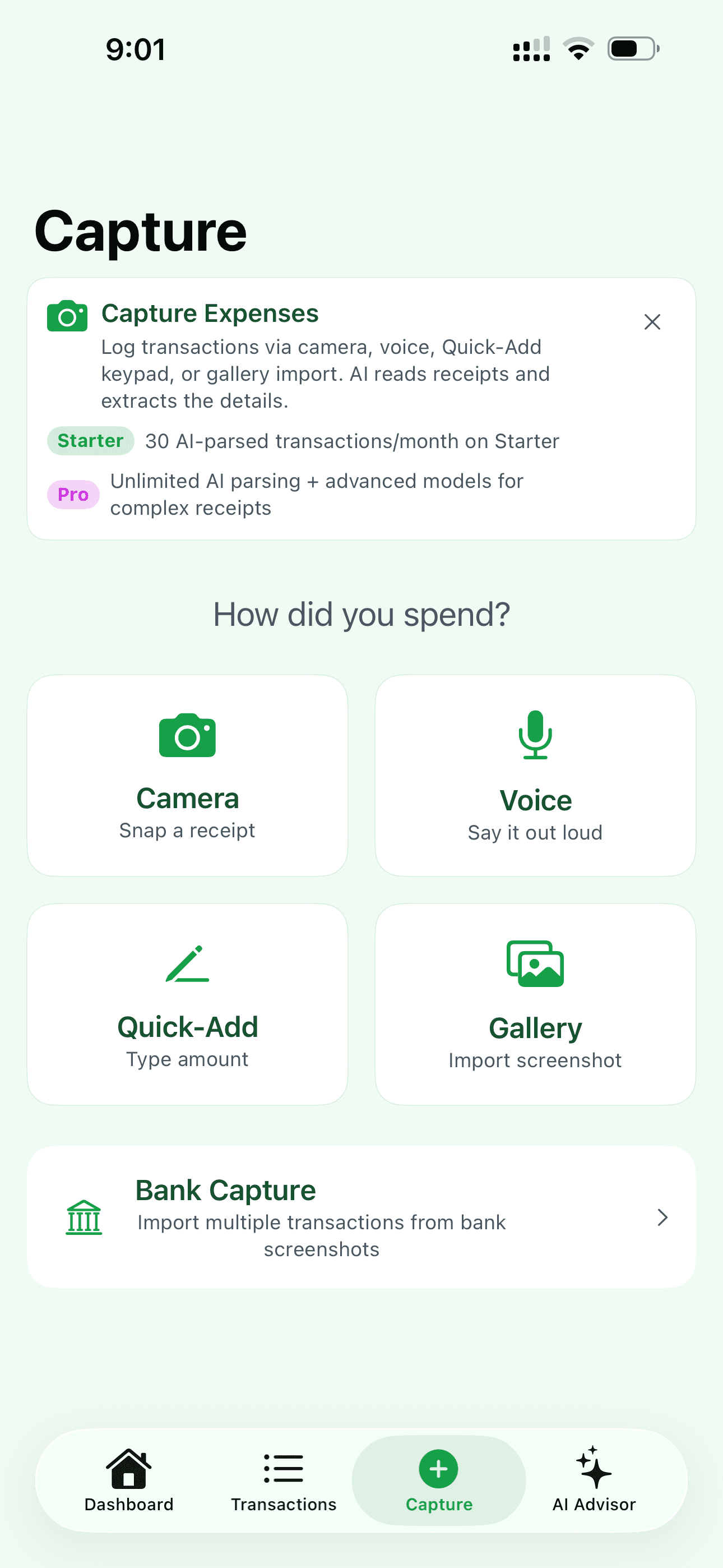
Capture
Snap a receipt, say a number, or photograph a bank statement. SpendSheet reads it instantly using on-device AI. No internet needed.
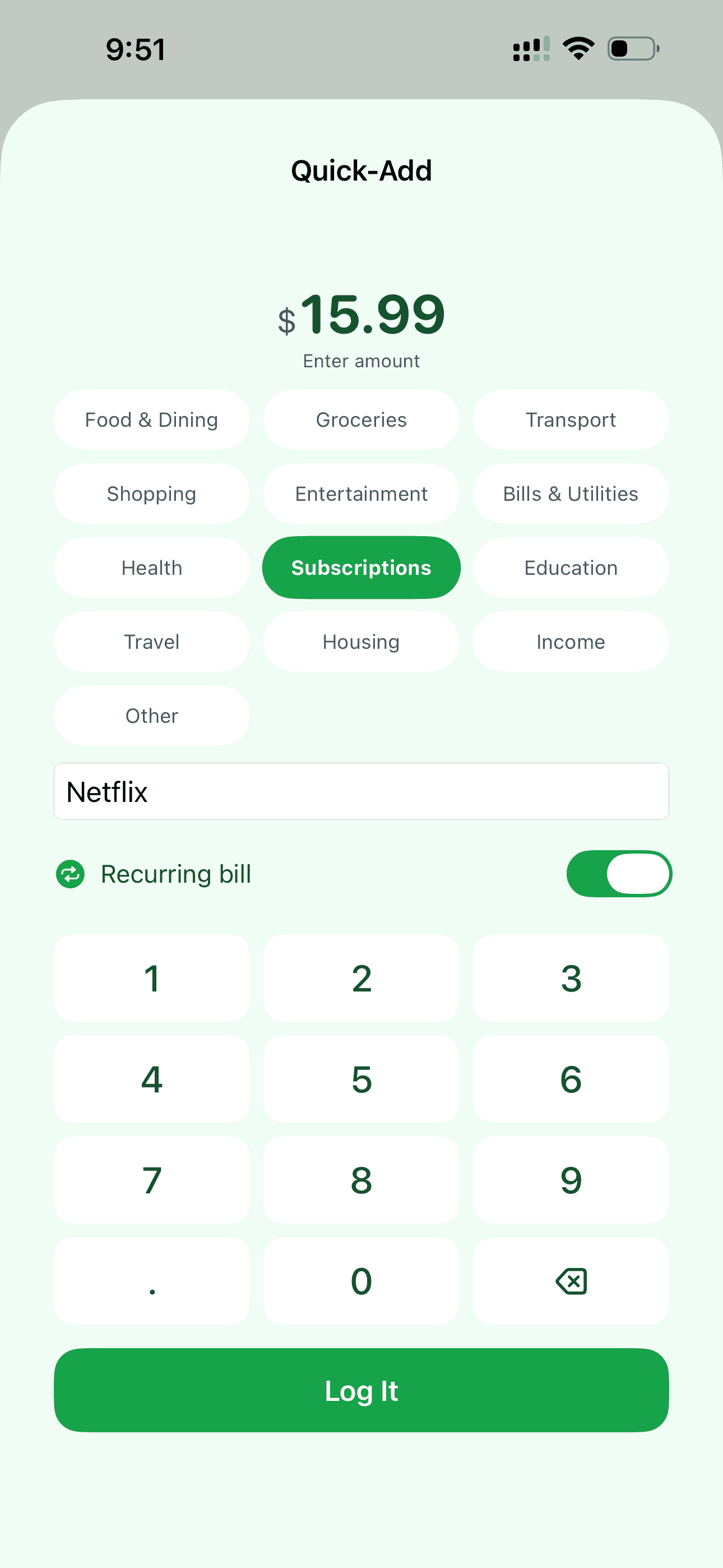
Confirm
AI fills in the details — merchant, amount, category. Edit anything, or just tap “Log It.” Trusted merchants log in 3 seconds flat.
See It in Your Sheet
Your transaction appears in your Google Sheet. Dashboard updates. Budgets recalculate. All automatic.
Capture at the speed of thought.
No more tedious manual entry. Pick your flow from six intelligent capture methods.
Quick-Add
Tap a category, type the amount. The absolute fastest manual entry in any finance app.
Camera
Snap a receipt. SpendSheet's on-device AI reads line items and categories instantly.
Voice
Just say 'Twenty at Target'. Intelligent parsing handles the merchant, amount, category, and date.
Gallery
Pick a receipt from your Photos library. Batch-import screenshots or saved images without opening the camera.
Bank Capture
Photograph your bank statement. On-device OCR and AI extract multiple transactions at once — no Plaid, no bank API, nothing leaves your phone.
Siri Integration
Ask Siri to log your coffee without even unlocking your phone. Native Apple Shortcuts support.
What Makes SpendSheet Different
Features no other expense tracker offers.
Speak Any Language
Say 'quince dolares en Starbucks' in Spanish. Or '500 yen at the ramen shop' in Japanese. SpendSheet understands any language and logs it in English. No settings to change. No language packs.
One Skin, Two Surfaces
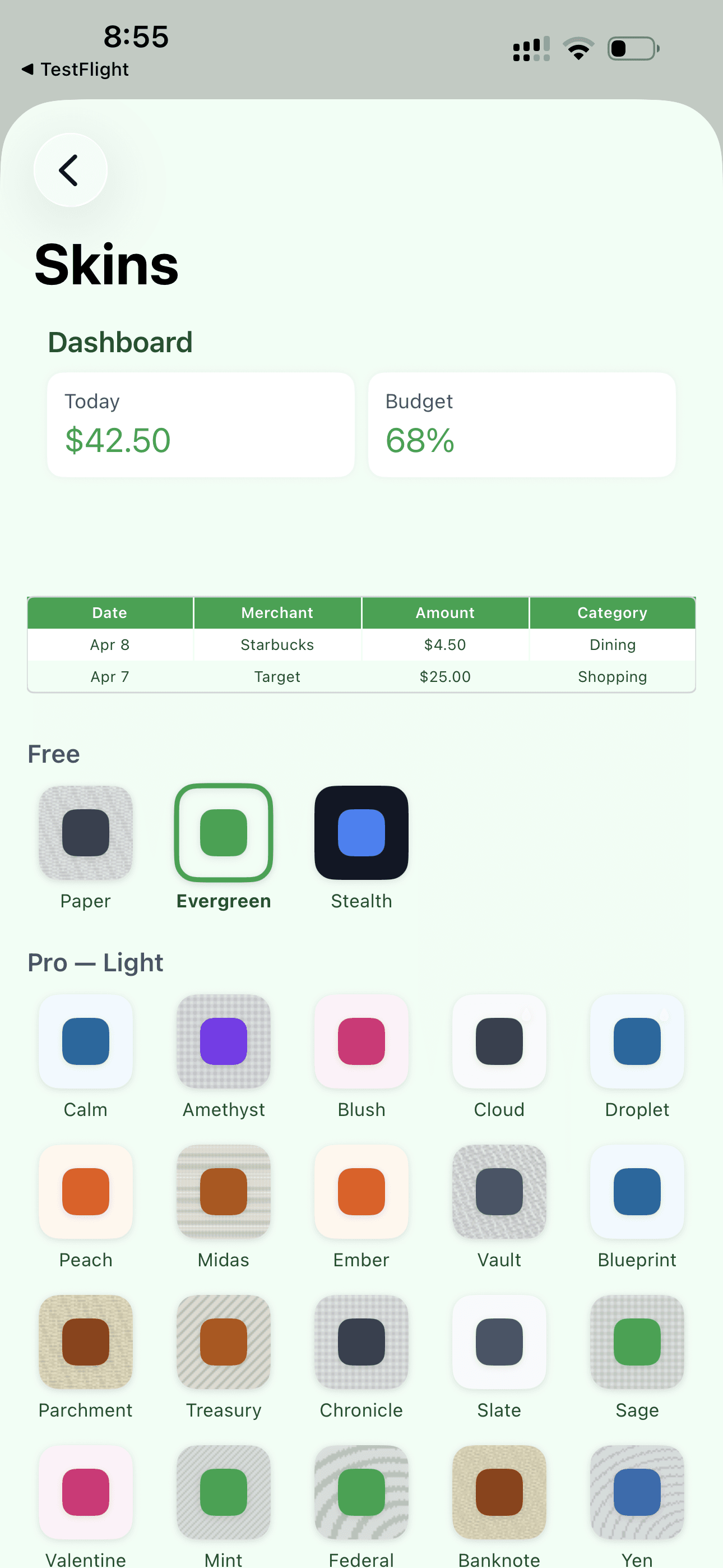
Pick a skin. Watch your app transform. Now open your Google Sheet — the headers, rows, and borders match. 32 combinations that theme both surfaces at once.
AI That Gets Smarter
The first time you buy at Trader Joe's, SpendSheet asks to confirm. The third time, it logs in 3 seconds. The tenth time, it catches errors — '$520 at Starbucks? Did you mean $5.20?' It learns your patterns.
True Blind Courier Privacy
Our server doesn't store your transactions. Doesn't know your merchants. Doesn't see your amounts. When you share with a partner, the data is end-to-end encrypted — we store blobs we can't read.
Delete Us. Keep Everything.
Uninstall SpendSheet. Your Google Sheet keeps working — formulas calculate, dashboards update, categories track. We gave you a standalone financial tool that doesn't need us.
Get SpendSheet on iPhone
Uncompromising local-first finance. 100% on-device AI, your data in your own Google Sheet, privacy you can verify. Download it today.
AI that lives on your phone
No cloud. No subscriptions to AI services. No data leaving your phone.
Reads receipts in any language
Speak in Japanese, Thai, or Spanish. The AI translates and logs in English.
Learns your merchants
After 3 visits to Trader Joe's, SpendSheet logs in 3 seconds flat.
Catches errors
'$520 at Starbucks? Did you mean $5.20?' SpendSheet protects your accuracy.
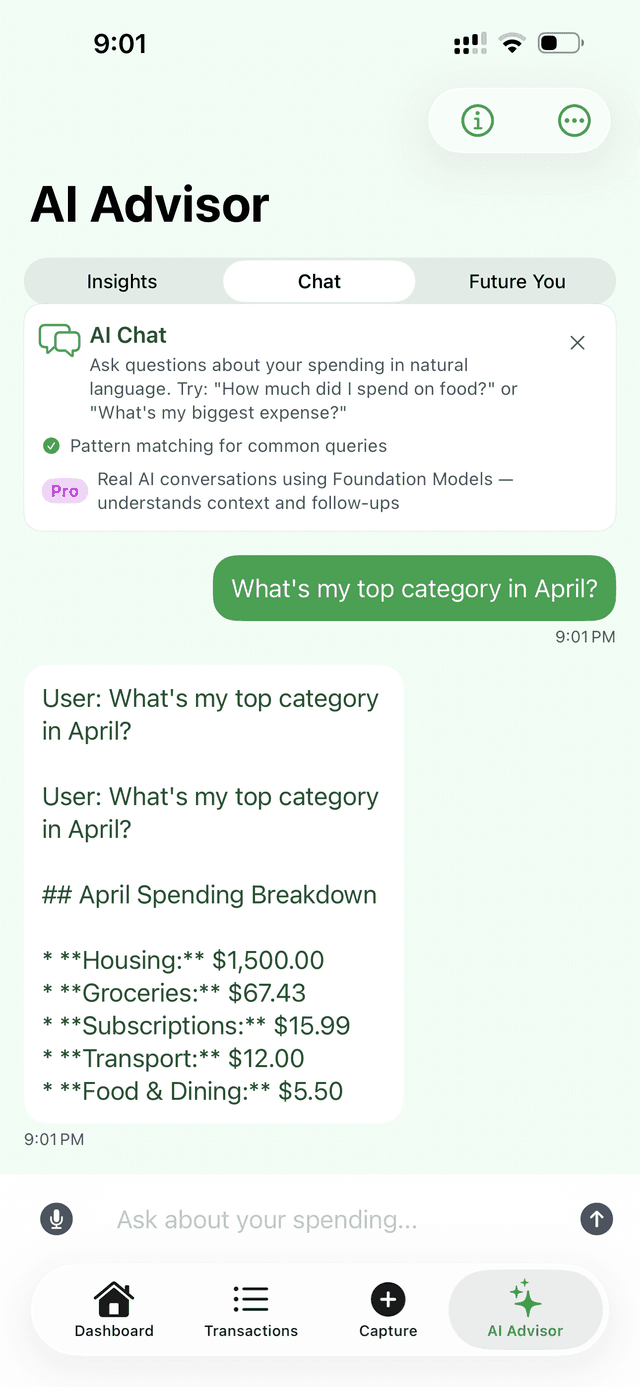
Answers your questions
'How much on food this month?' Ask your AI Advisor. Get an instant answer.
Works offline. No cloud. No subscription fees for AI.
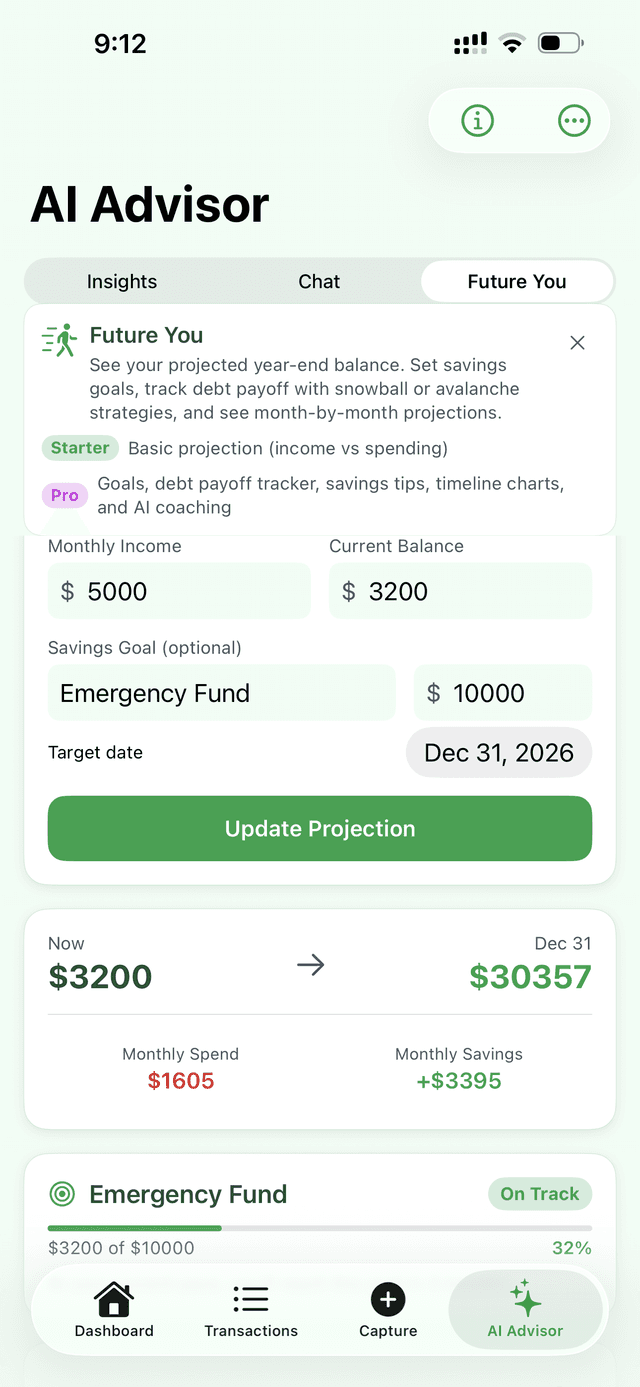
See your financial future
Set a savings goal. Track month-by-month progress. Get AI coaching that adapts to your spending patterns.
- Monthly savings projections
- Goal tracking with milestones
- AI-powered spending insights
- Trend analysis across categories
Part of the AI Advisor — available on all tiers.
Your app.
Your aesthetic.
SpendSheet isn't just another green finance app. Pick from 32 meticulously crafted skins ranging from Zen minimalist gradients to neon dark modes and Tokyo-inspired palettes.
World Money Edition
4 skins inspired by world currencies: Yen, Euro, Sterling, Franc.
Dual Syncing
When you change the app skin, your Google Sheet template automatically updates to match the palette.
Your money. Your phone. Your sheet. That's it.
AI runs on your device — Receipts never leave your phone. No cloud AI. No data uploads.
drive.file scope only — SpendSheet can only touch the sheet it created. Can't browse your Drive.
Even sharing is encrypted — Ghost Mode uses end-to-end encryption. We store blobs we can't read.
Every API call is logged — See every time SpendSheet touches your spreadsheet in the Permission Audit.
Self-Destruct: one button, everything gone — Your spreadsheet stays. We vanish. In 10 seconds.
We never see your money. Not your amounts. Not your merchants. Not ever.
Share spending without sharing data
End-to-end encrypted expense sharing. We store blobs we can't read. Ghost Mode is not yet available — it's shipping in a future update.
Couples
Share expenses with your partner. See combined spending without exposing individual transactions.
Family (2–5 members)
Track family spending. Set allowances for kids. Parental controls built in.
Roommates (2–6 members)
Split rent, utilities, groceries. Equal, custom, or percentage splits with built-in settle-up.
Business Partners (2–3 members)
Separate business and personal. Admin-only splits. Clean expense boundaries.
Ghost Mode uses Curve25519 key agreement and AES-GCM encryption. Your private keys never leave your device. Even if our servers are breached, your financial data is safe — because we never had it.
Ghost Mode is a Business tier feature.
Start free. Upgrade when you feel the value.
Try Pro free for 7 days. Full experience. Cancel anytime.
Starter
Start tracking. It's free.
- Camera, Voice, Quick-Add, Gallery capture
- 30 AI-parsed captures/month
- Google Sheets sync — free forever
- Quick-Add manual entry — always unlimited
- Siri Shortcuts
- Multi-currency support
- 3 free skins
No credit card required
Pro
The full SpendSheet experience.
- Everything in Starter
- Unlimited AI captures
- All 32 skins (app + Google Sheet)
- Merchant learning — 3-second logging
- Smart search — ‘coffee last week’
- Daily spending insights
- Streaks, challenges, badges
- Monthly financial report
Business
Built for your complete financial picture.
- Everything in Pro
- Ghost Mode — encrypted partner spending (coming in a future update)
- Tax Intelligence — flag deductions all year
- Net Worth Tracker — stocks, crypto, real estate
- Priority support
SpendSheet identifies potential deductions based on IRS categories. This is not tax advice.
How to get started
From downloading the app to logging your first expense in under 60 seconds.
Download the App
Download the free SpendSheet iOS app from the App Store.
Sign in with Google
Connect your Google account so the app can talk securely back and forth with your personal Drive.
Template Generation
The app instantly generates a perfectly formatted SpendSheet directly in your Google Drive. (Bought the template on Etsy? Just tap 'Redeem Code' in Settings to unlock lifetime Pro!).
Start Logging
Snap a receipt or speak out loud. Watch your spreadsheet magically update in real time.
Frequently Asked Questions
Absolute clarity on how your data is handled.